Scan the table QR
The code identifies the outlet and table before opening the menu.
Feature · QR Ordering
Guests browse, add items and choose how to pay without installing an app. Staff keep control of what reaches the kitchen.
The problem
Printed menus get outdated, damaged and hard to replace during service. They also leave the guest waiting for someone to take an order.
A generic QR file is not enough. The restaurant still needs the right table context, a clear menu and rules for when an order is accepted.
At the table
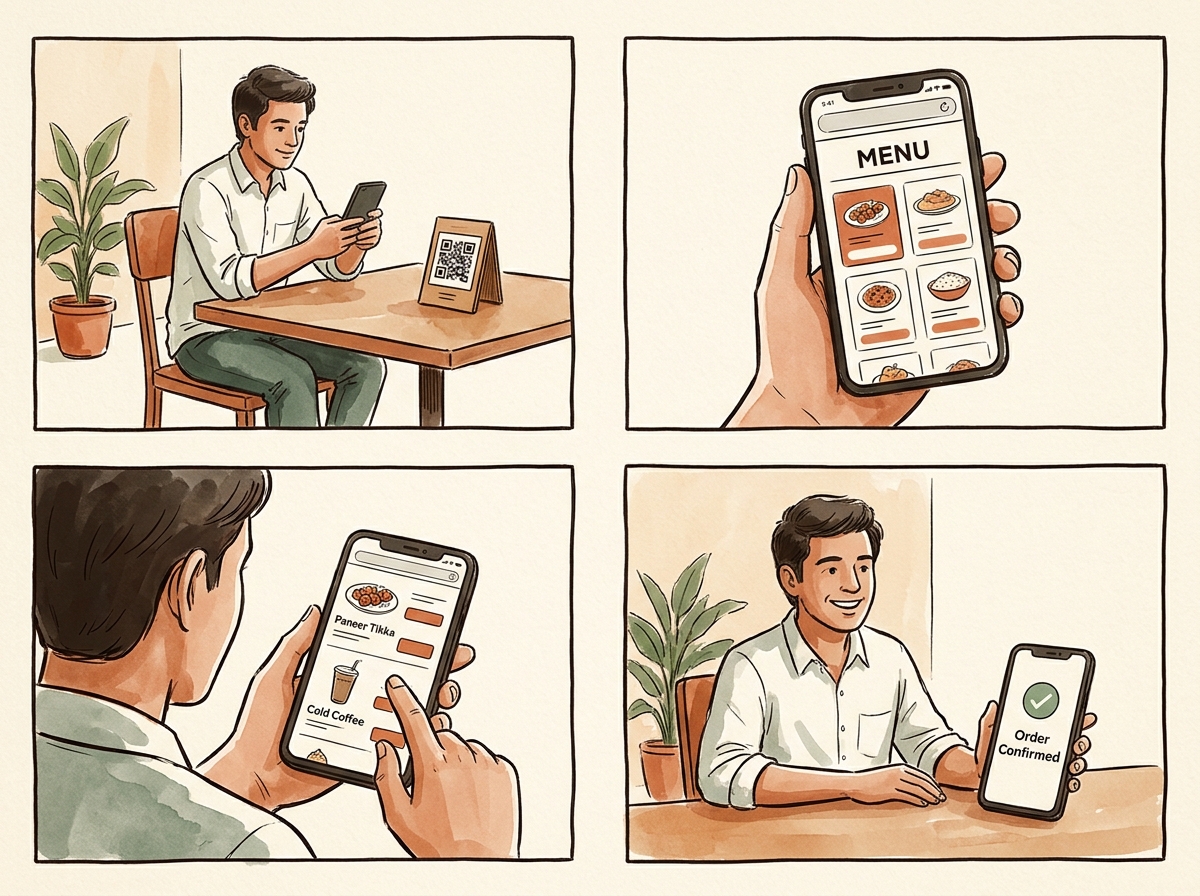
The QR carries outlet and table context, so the guest enters the right ordering flow without searching or installing anything.
How it works
The code identifies the outlet and table before opening the menu.
Guests see available categories, useful dish details and current prices.
A phone number is required for the order record and receipt flow.
Verified online payments move forward; counter payments wait for staff approval.
Key capabilities
These capabilities describe the restaurant-first specification. They avoid promising integrations, outcomes or automation that has not been validated.
Table-linked QR codes
Category-based digital menu
Item quantity and cart review
Required customer phone number
Online payment or pay-at-counter choice
Clear order confirmation and digital receipt
Worked example
A guest scans the table code, sees the live menu, adds two dishes and chooses UPI. The confirmed order keeps its table context all the way to the kitchen ticket.
QR contextOutlet + Table 7
Cart3 items
Next stopKitchen queue
Who it is for
The flow is designed first for cafés and dine-in restaurants. Cloud kitchens and food-court counters can use the operational parts with a different service setup. Clinics, gyms and colleges are future verticals, not available product packages today.
Feature FAQs
No. The experience opens in the mobile browser.
The order waits for staff approval before it is treated as accepted.
Yes. Each code can carry outlet and table context.
No. Marketing and loyalty are Coming later and would require separate opt-in consent.
Related features
Organise outlets, categories, dishes, availability, tables and QR codes without reprinting a paper menu.
FeatureSupport India-first choices such as UPI while keeping the restaurant in control of its own payment gateway account.
FeatureOrders arrive with table, item and payment context, then move through station and item-level status.