How it works
From setup to served, without hiding the important steps.
See both sides of the flow: what the guest experiences and what the owner, staff and kitchen need to keep service moving.
Owner setup
Set up the outlet before the first scan.
The owner registers, creates an outlet and adds the current menu. Categories, dishes, prices and availability should be reviewed as operational data—not copied blindly from an old paper file.
Next come the tables and QR codes. Each code is tested against its outlet and table before going live. Staff invitations and roles follow, then the restaurant connects its own payment gateway and completes a test order.
- →Create outlet
- →Add menu and tables
- →Invite staff
- →Connect payments
- →Test before launch
Customer view
The guest sees a simple decision, not the setup behind it.
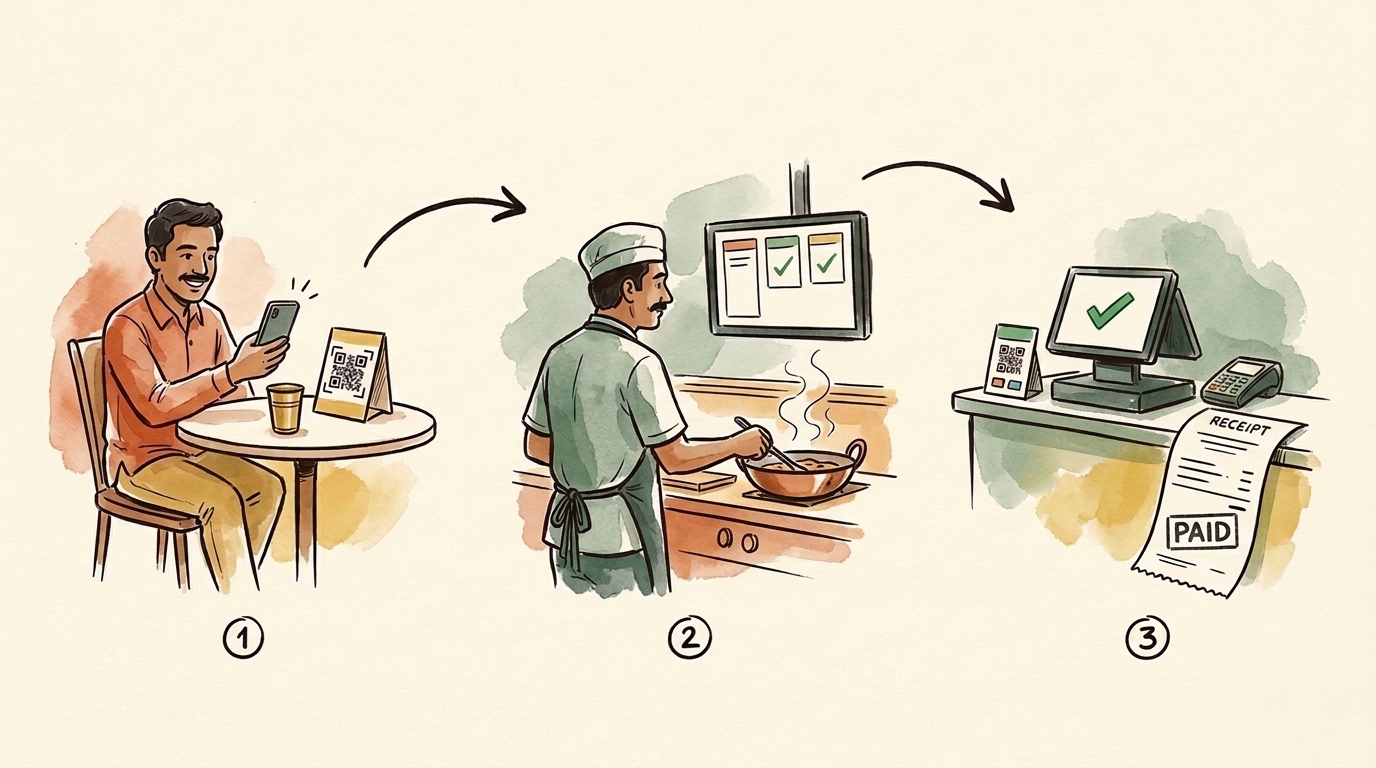
A scan opens the table-linked menu in the browser. The guest browses categories, adds items, reviews quantities and enters a phone number required for the order and receipt.
The guest can pay online or choose pay at counter. Optional marketing consent is separate and is not part of the ordering requirement.
- →No app download
- →Clear cart
- →Phone number required
- →UPI or counter choice
Order and payment
The kitchen gets certainty, not a hopeful payment screen.
For online payment, the order moves to the kitchen only after payment is verified. This reduces the risk of preparing an order that never completed payment.
A pay-at-counter order waits for staff approval. The restaurant keeps its own gateway account and receives its own funds; payment-provider charges remain separate.
- →Verify online payment
- →Approve counter orders
- →Prevent duplicate release
- →Record payment state
Kitchen flow
Stations and items can move at different speeds.
The kitchen display groups actionable tickets and keeps table context visible. Stations can focus on relevant items rather than reading a mixed verbal handoff.
Item-level status supports partially ready orders. A ticket can move through preparing, partially ready, served and completed without pretending every dish finishes at the same moment.
- →Station views
- →Item-level status
- →Partially ready
- →Served and completed
Billing and reports
Close the table and the day with a readable record.
The billing flow supports an individual bill or a running table bill, records the payment method and produces an itemised receipt. The restaurant remains responsible for its tax configuration.
At the end of the day, the owner sees operational totals, payment-method breakdowns and records that still need attention. Time saved or turnaround changes should be measured from the restaurant’s own service data.
- →Running table bill
- →Digital receipt
- →Day totals
- →Payment breakdown
Under the hood, simply
Orders should not disappear, duplicate or outrun payment.
In plain language: each important change has a recorded state. The system verifies payment before releasing an online order and keeps counter orders waiting for human approval.
Reliability claims must be tested before publication. “Orders never get lost” is a goal that needs monitoring, recovery procedures and pilot evidence—not a slogan we should publish without proof.
- →Explicit states
- →Payment verification
- →Human approval path
- →Recovery planning
Continue the conversation